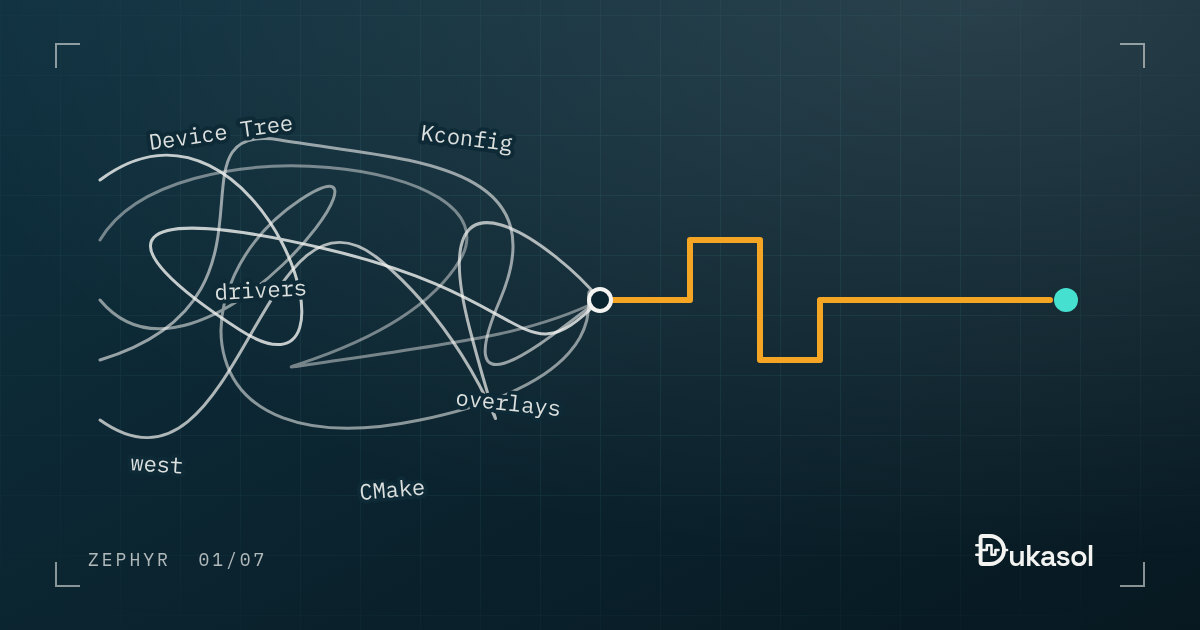
I have been writing embedded software for 8-9 years. When I first got curious about Zephyr it felt very confusing, and it took me quite a while to make sense of it. (This was before LLMs 😅)
Following the Getting Started page and getting Hello World to run was easy, but after that I had no idea where to go. Device Tree, Kconfig, the driver model: all of it felt new and complicated.
For people coming from Linux these are familiar concepts. For someone coming from bare metal or FreeRTOS, it is a whole new world.
This post is the map I wish I had had back then: why Hello World is misleading, what the build is quietly doing behind it, and what has to change in the way you think before the rest of Zephyr starts to make sense.
Hello World hides almost everything#
This is the whole application:
#include <stdio.h>

int main(void)
{
    printf("Hello World! %s\n", CONFIG_BOARD_TARGET);

    return 0;
}
It looks like the Hello World of any C environment, and that is the trap. Even
this one line already leans on two systems you have not met yet.
CONFIG_BOARD_TARGET is a Kconfig symbol, and printf ends up on whichever
UART the board’s devicetree names as the console.
Build it for an STM32 Nucleo board and read what west prints before it compiles anything. Trimmed, with the paths shortened:
$ west build -b nucleo_f401re samples/hello_world
-- Board: nucleo_f401re, qualifiers: stm32f401xe
-- Found BOARD.dts: zephyr/boards/st/nucleo_f401re/nucleo_f401re.dts
-- Generated zephyr.dts: build/zephyr/zephyr.dts
-- Generated devicetree_generated.h: build/zephyr/include/generated/zephyr/devicetree_generated.h
Parsing zephyr/Kconfig
Loaded configuration 'zephyr/boards/st/nucleo_f401re/nucleo_f401re_defconfig'
Merged configuration 'zephyr/samples/hello_world/prj.conf'
Configuration saved to 'build/zephyr/.config'
Kconfig header saved to 'build/zephyr/include/generated/zephyr/autoconf.h'
Before a single C file is compiled, the build has found a description of the
board, turned it into a header, merged two configuration files and turned the
result into another header. For this four-line program, the generated
devicetree header holds 14,283 DT_ macros and the final configuration is
1,249 lines long.
Then the compilation starts, and this is the line worth stopping at:
[13/157] Building C object CMakeFiles/app.dir/src/main.c.obj
Your main.c is step 13 of 157. The build compiles 115 C files for this
sample, and one of them is yours. The other 114 are the kernel, the drivers,
the C library and the startup code, chosen and configured for this board by
the systems listed above. The Getting Started page does not lie to you; it
just never mentions any of this, because Hello World runs without you having
to know.
Five things arrive at once#
Behind that build output are five pieces, and each one replaces something a bare-metal developer already does by hand:
| In Zephyr | What it does | What it replaces in bare metal |
|---|---|---|
| west | Fetches Zephyr and its modules at pinned versions, and drives the build | Copying the vendor SDK into your repository |
| CMake build system | Builds the kernel, the drivers and your code into one image | Your Makefile or IDE project |
| Device Tree | Describes the board: which peripherals exist, which pins they use, what is connected to them | A board.h full of #define LED_PIN 5 |
| Kconfig | Decides which code is compiled and how it is tuned | config.h, or FreeRTOSConfig.h |
| Driver model | One API per class of device, with the driver picked by the devicetree | Calling straight into the vendor HAL |
None of these is hard on its own. The trouble is that Hello World uses all five at once, and the documentation of each one assumes you already know the other four. That is why the step after Hello World feels like a wall.
You have to change your mindset first#
In the end I realised: learning Zephyr is different from learning a new library. You have to change your mindset first.
In bare metal, your code owns the hardware. Here is a blinking LED on the same Nucleo board, written against the STM32 registers:
#include "stm32f401xe.h"

int main(void)
{
    RCC->AHB1ENR |= RCC_AHB1ENR_GPIOAEN;   /* clock GPIO port A */
    GPIOA->MODER |= GPIO_MODER_MODE5_0;    /* PA5 as an output */

    for (;;) {
        GPIOA->ODR ^= GPIO_ODR_OD5;    /* toggle the LED on PA5 */
        for (volatile int i = 0; i < 400000; i++) {
        }
    }
}
Every line knows something about the hardware: the port, the pin, the clock gate, the register layout of this particular chip family. Moving to another microcontroller means rewriting all of it.
Zephyr splits that knowledge three ways. The devicetree describes the hardware, Kconfig configures which code exists, and your code only uses an API. The application side of Zephyr’s blinky sample comes down to this:
static const struct gpio_dt_spec led = GPIO_DT_SPEC_GET(DT_ALIAS(led0), gpios);

/* in main(): */
gpio_pin_configure_dt(&led, GPIO_OUTPUT_ACTIVE);
gpio_pin_toggle_dt(&led);
The pin is not in the code. It comes from the board’s devicetree, which on the Nucleo says this:
green_led_2: led_2 {
    gpios = <&gpioa 5 GPIO_ACTIVE_HIGH>;
    label = "User LD2";
};
and on Nordic’s nRF52840 DK says this:
led0: led_0 {
    gpios = <&gpio0 13 GPIO_ACTIVE_LOW>;
    label = "Green LED 0";
};
Both boards map the led0 alias to their own LED, and the same main.c
builds and blinks on both. Notice the second LED is active low: the nRF52840
DK drives the pin low to switch it on. The C code does not care, because the
polarity travels with the pin in the devicetree. That one detail is the whole
mindset in miniature. You stop writing code that knows the hardware and start
writing code that asks the devicetree about it.
It feels like indirection for its own sake at first. It stops feeling that way the first time a board revision moves an LED, or the part you designed in becomes unobtainable, and the fix is a few lines of devicetree instead of a hunt through the application.
An order that works#
The pieces are far easier taken one at a time, in an order where each one only depends on the ones before it:
- Read the build output. You do not need to understand it yet, only to know that these pieces exist and in which order they run.
- Device Tree: what the hardware is.
- Kconfig: which code is built, and with which options.
- The driver model: pick one class of device, such as GPIO, and follow how
gpio_dt_specties a devicetree node to the API. - native_sim: a board you always have, so you can experiment without flashing anything.
The rest of this series follows the same order.
One habit helps more than any tutorial: after every build, two generated
files answer most questions. They are build/zephyr/zephyr.dts, the
final devicetree with every overlay applied, and build/zephyr/.config, the final
configuration. When a build does something you did not expect, the answer is
almost always in one of the two.
If you are going through the same thing, that is normal. Just keep going.