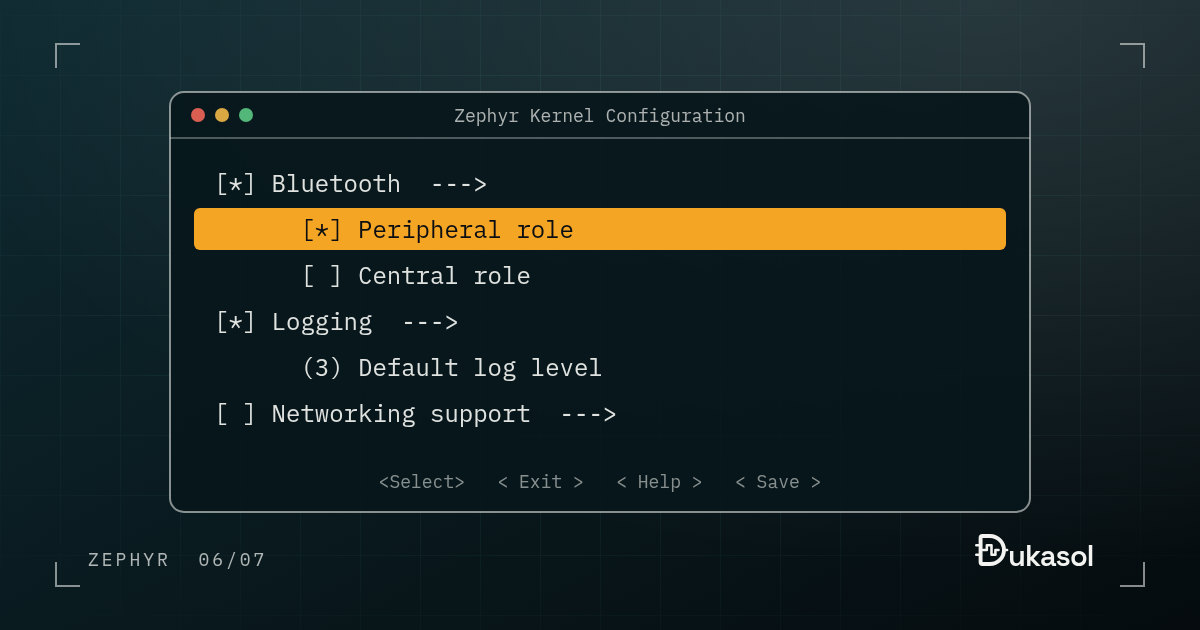
Device Tree describes what the hardware is; Kconfig decides which code gets compiled. Configuring a Zephyr project means knowing both.
Kconfig is another concept that comes from Linux. Put simply, it is a system
that lets you configure your project without changing the source code. Want to
enable the BLE stack? Need the network layer? Want to set the logging level?
You do all of it by writing a few lines in prj.conf.
CONFIG_BT=y
CONFIG_BT_PERIPHERAL=y
CONFIG_LOG=y
This post goes one level deeper: where the values come from, in which order
they are merged, what the language behind them looks like, and, most usefully,
how to find out why a value you set did not take. Everything below was run on
Zephyr 4.4.2. The example project is
kconfig in firmware-notes,
where CI builds and runs it on every push.
So what happens behind the scenes?#
When you run west build, the Kconfig system merges the board’s defaults, the SoC
configuration and your prj.conf. The result is a file called
build/zephyr/.config. That file is turned into autoconf.h for the C code,
and CMake reads the same CONFIG_* values to decide which sources to build.
Both halves are easy to see. In the example project, autoconf.h ends up
containing plain defines:
#define CONFIG_APP_GREETING "hello from prj.conf"
#define CONFIG_APP_RETRIES 5
#define CONFIG_APP_VERBOSE 1
#define CONFIG_LOG 1
and on the CMake side, this is how Zephyr’s GPIO drivers get picked, one line
per driver in drivers/gpio/CMakeLists.txt:
zephyr_library_sources_ifdef(CONFIG_GPIO_EMUL gpio_emul.c)
zephyr_library_sources_ifdef(CONFIG_GPIO_NRFX gpio_nrfx.c)
zephyr_library_sources_ifdef(CONFIG_GPIO_STM32 gpio_stm32.c)
So features you have not enabled never make it into the binary, and you do not spend flash and RAM on them for nothing. A driver that is off is not compiled at all; it is not merely unused.
Where the values come from#
A value can be set in several places, and later ones win. The build prints the
order every time, right before it writes .config. In the example project
there are four files and one command-line option:
$ west build -b native_sim kconfig -- -DEXTRA_CONF_FILE=verbose.conf
Loaded configuration 'zephyr/boards/native/native_sim/native_sim_defconfig'
Merged configuration 'kconfig/prj.conf'
Merged configuration 'kconfig/boards/native_sim.conf'
Merged configuration 'kconfig/verbose.conf'
Configuration saved to 'build/zephyr/.config'
- The board’s
_defconfig, owned by whoever maintains the board. prj.conf, your application’s main configuration.boards/<board>.confin your application, if it exists, for values that only apply to one board.EXTRA_CONF_FILEfragments, for variants such as a debug build.-DCONFIG_...=on the command line, which the build writes into a generatedextra_kconfig_options.confand merges last.
That layering is the answer to a question every bare-metal team eventually
asks: where do the board-specific values go? Not in an #ifdef. In
boards/<board>.conf, next to the board’s overlay.
Defining your own options#
Kconfig is not only for Zephyr’s options. An application can define its own, in
a file called Kconfig at its root that ends by pulling in Zephyr’s tree:
mainmenu "firmware-notes Kconfig example"

menu "Application"

config APP_GREETING
    string "Greeting printed at boot"
    default "hello from the Kconfig default"

config APP_RETRIES
    int "Attempts before giving up"
    range 1 10
    default 3

config APP_VERBOSE
    bool "Log every attempt"
    depends on LOG
    help
      Uses the logging subsystem, so it is only offered when logging is
      enabled and cannot be switched on in a build without it.

endmenu

source "Kconfig.zephyr"
Each option has a type, a prompt, a default and optional constraints: range
for numbers, depends on for conditions. The code uses them as ordinary
macros:
printk("greeting: %s\n", CONFIG_APP_GREETING);
printk("retries: %d\n", CONFIG_APP_RETRIES);

for (int i = 1; i <= CONFIG_APP_RETRIES; i++) {
    if (IS_ENABLED(CONFIG_APP_VERBOSE)) {
        LOG_INF("attempt %d", i);
    }
}
Prefer IS_ENABLED() over #ifdef for booleans. The code inside is still
compiled and type-checked when the option is off, and then removed by the
optimizer, so a disabled branch cannot quietly rot.
With the four files above, every layer shows up in the output: the greeting
from prj.conf, five attempts from boards/native_sim.conf, and the logging
switched on by verbose.conf:
greeting: hello from prj.conf
retries: 5
[00:00:00.000,000] <inf> app: attempt 1
...
[00:00:00.000,000] <inf> app: attempt 5
verbose: on
depends on, select, and the warning that does not stop the build#
Three keywords decide how options relate to each other:
depends onhides an option until its conditions are met. It is a promise: this option can never be on without that one.selectforces another symbol on, whatever the user set and whether or not that symbol’s own dependencies are met. It is powerful, and it is the usual reason a value you set does not take.implyis a weakselect: it turns the other symbol on by default, but the user can still switch it off.
Now the mistakes, with the messages they actually produce. A misspelled symbol stops the build:
typo.conf:1: warning: attempt to assign the value '5' to the undefined symbol APP_RETRYS
error: Aborting due to Kconfig warnings
So does a value outside its range:
warning: user value 20 on the int symbol APP_RETRIES (defined at kconfig/Kconfig:9) ignored due to being outside the active range ([1, 10]) -- falling back on defaults
error: Aborting due to Kconfig warnings
But set CONFIG_APP_VERBOSE=y without CONFIG_LOG=y, and you get this:
warning: APP_VERBOSE (defined at kconfig/Kconfig:14) was assigned the value 'y' but got the value 'n'. Check these unsatisfied dependencies: LOG (=n).
and then the build carries on and succeeds, with the feature quietly off. This
is deliberate. Zephyr turns Kconfig warnings into errors with one exception,
and its own source says so: a symbol that ends up with a different value than
the one it was assigned is kept “as just a warning for now”. The symbol does
not even appear in .config, because an option whose dependencies are not met
is not written at all.
This is the warning to watch for, because the build stays green. In CI it is
worth failing the job when the build log contains was assigned the value.
select produces the same warning from the other direction. Try to switch
printk off on native_sim with CONFIG_PRINTK=n:
warning: PRINTK (defined at subsys/debug/Kconfig:145) was assigned the value 'n' but got the value 'y'.
This time there is no unsatisfied dependency to list, so the warning cannot tell you why. Something selected PRINTK, and the next section shows how to find out what.
Finding out why: menuconfig, guiconfig and traceconfig#
If you do not know which Kconfig option to set, or how, run this:
$ west build -t menuconfig
A terminal-based interface opens. Press / to search for any symbol and see
its dependencies. It is a very useful tool when working with Zephyr.
west build -t guiconfig is the same thing in a window.
One trap: menuconfig edits build/zephyr/.config and nothing else. The next
pristine build throws those changes away. Once you have found the right
values, copy them into prj.conf, or press D to save a minimal
configuration and take the lines from there.
The tool that answers “why” is traceconfig:
$ west build -t traceconfig
It writes build/zephyr/kconfig-trace.md, a table of every symbol with its
value, the reason it has that value, and where that came from. For the
example project, trimmed:
| Name | Value | Source | Location |
|---|---|---|---|
CONFIG_APP_GREETING |
“hello from prj.conf” | assigned | prj.conf:1 |
CONFIG_APP_RETRIES |
5 | assigned | boards/native_sim.conf:1 |
CONFIG_APP_VERBOSE |
y | assigned | verbose.conf:2 |
CONFIG_LOG |
y | assigned | verbose.conf:1 |
CONFIG_PRINTK |
y | selected | BOOT_BANNER |
The last row is the answer to the printk puzzle above: the boot banner selects
printk, so printk cannot be switched off while the banner is on. It is the
Kconfig counterpart of the file and line comments in zephyr.dts, and it turns
an afternoon of grepping Kconfig files into one command.
While you are there, west build -t hardenconfig compares your configuration
with Zephyr’s security hardening recommendations and prints one row per
option:
| Name                                  | Current   | Recommended   | Check result   |
| CONFIG_BOOT_BANNER                    | y         | n             | FAIL           |
| CONFIG_BUILD_OUTPUT_STRIPPED          | n         | y             | FAIL           |
On a development build most rows fail, and that is fine. Before a release, it is a useful checklist.
Compared with FreeRTOSConfig.h#
In FreeRTOS you did this with #defines in a single FreeRTOSConfig.h file.
Kconfig does it in layers, and it manages the dependencies: the symbols a
feature selects are switched on with it, while a feature whose depends on
is not met stays off and the build tells you so.
Side by side:
FreeRTOSConfig.h |
Kconfig | |
|---|---|---|
| Invalid combinations | Found at compile time, at runtime, or never | Checked before anything is compiled |
| Finding an option | Read the documentation | Search in menuconfig, with help text |
| Values for one board | #ifdef inside the header |
boards/<board>.conf |
| What gets compiled | Edited by hand in the build files | CMake reads the same symbols |
| Why a value is what it is | grep | traceconfig names the file and line |
The price is a language to learn and a few more files. The return is a configuration that the build can check, explain and act on.
For the details, see the Kconfig documentation. The next post in this series puts all of this to work without any hardware at all: native_sim.