I saw how powerful Zephyr is on a real project, and I have chosen it for every project since, whenever I could.
What surprised me when I started learning it was how all the subsystems
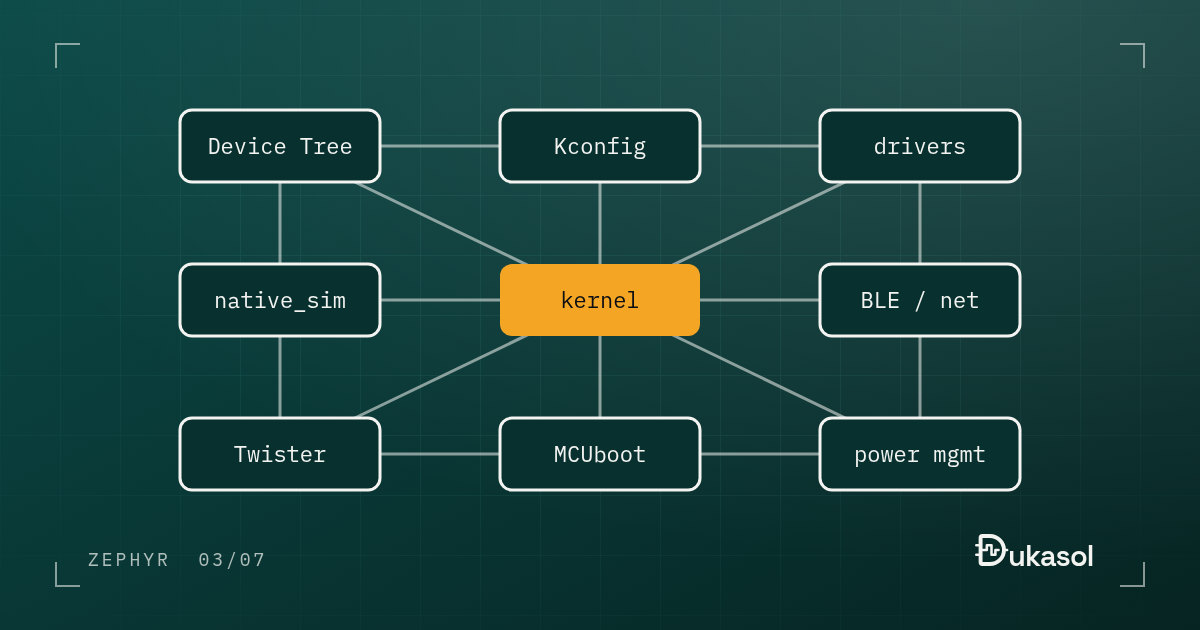
complement each other and work together. In fact, you cannot really think of
one without the others. For example, the reason native_sim works so smoothly
is that Device Tree, the generic APIs and CMake are already part of every
project. That is no accident; those are deliberate design decisions.
Once I noticed that coherence, the way I looked at Zephyr changed.
“Coherence” is an abstract word, so here it is in concrete form first, and then what it means for each of the features people usually list.
One application, three boards, three drivers#
Take Zephyr’s blinky sample and build the same source for three very different targets:
$ west build -b nrf52840dk/nrf52840 samples/basic/blinky
$ west build -b nucleo_f401re samples/basic/blinky
$ west build -b native_sim samples/basic/blinky
With Zephyr 4.4.2, all three build from the same main.c, without a single
#ifdef. What differs is underneath:
| Board | led0 in the devicetree |
GPIO driver the build compiled |
|---|---|---|
| Nordic nRF52840 DK | P0.13, active low | gpio_nrfx.c |
| STM32 Nucleo F401RE | PA5, active high | gpio_stm32.c |
| native_sim | pin 0 of an emulated controller | gpio_emul.c |
Nobody chose those drivers by hand. The chain that picks them runs through three subsystems, and it is worth following once:
- The application asks the devicetree for the
led0alias and gets a pin on a GPIO controller node. - That controller node carries a
compatiblestring:"nordic,nrf-gpio","st,stm32-gpio"or"zephyr,gpio-emul". - Every enabled compatible becomes a Kconfig symbol. On the Nucleo build,
.configcontainsCONFIG_DT_HAS_ST_STM32_GPIO_ENABLED=y. - The driver’s own Kconfig option defaults to on when that symbol is set.
- CMake compiles
gpio_stm32.cbecauseCONFIG_GPIO_STM32=y, and the driver registers itself behind the generic GPIO API thatmain.ccalls.
Step 4 is four lines in drivers/gpio/Kconfig.stm32:
config GPIO_STM32
    bool "GPIO Driver for STM32 family of MCUs"
    default y
    depends on DT_HAS_ST_STM32_GPIO_ENABLED || DT_HAS_ST_STM32MP2_GPIO_ENABLED
That is the whole reason native_sim feels effortless. To the application it is not a simulator bolted on from outside. It is just another board, whose GPIO controller happens to be emulated, picked by exactly the same chain. Remove any one link (the devicetree, the Kconfig symbols generated from it, the generic API, the build system that reads both) and it stops working.
What stands out, and how each piece leans on the others#
native_sim: You can start developing firmware without hardware. Work moves on without waiting for the boards. As above, it exists because a board is only a set of devicetree nodes and drivers behind generic APIs.
Twister and ztest:
The test infrastructure comes built in. There is nothing separate to set up and
integrate. A test suite is declared in a testcase.yaml, and the same suite
runs on native_sim in CI and on a real board with twister --device-testing.
That is only possible because the board is a build argument, not something
baked into the code.
Drivers, Kconfig and Device Tree: Together they give you a codebase that is hardware independent, portable and easy to maintain. The table above is that sentence, measured.
BLE and networking stacks: You build on top of them instead of writing them
from scratch. Zephyr has its own Bluetooth LE host and an open source link
layer, an IPv4 and IPv6 stack with TCP and UDP, and protocol libraries such as
MQTT, CoAP and LwM2M on top, with Thread available through the OpenThread
module. They are configured with the same Kconfig and run on the same driver
model as everything else, so enabling Bluetooth starts with CONFIG_BT=y on
a board whose devicetree already describes the radio.
Security: Memory protection, secure boot and mbedTLS integration come ready
to use. Threads can run in user mode behind the MPU (CONFIG_USERSPACE),
MCUboot provides the verified boot chain, and on Armv8-M parts Trusted
Firmware-M is available as a module. The pieces fit here too: MCUboot finds
its slots in the same devicetree partitions the application is linked into.
On the nRF52840 DK they are called mcuboot, image-0 and image-1, and the
build places the application in image-0 because the devicetree says so.
Power management: Integrated at the kernel level, so you do not have to write it yourself. A tickless kernel knows exactly when the next thread is due, the system power manager uses that to pick a sleep state, and drivers that support device power management switch their peripheral off while nobody is using it.
Support for more than 1,000 boards: In Zephyr 4.4.2, west boards lists
1,014 of them. When the hardware changes, you do not rewrite the application;
the blinky above is the small version of that promise.
Fully open source: No vendor lock-in. Zephyr is Apache-2.0 licensed and governed under the Linux Foundation, so the code you depend on is code you can read, debug and fix.
None of these is decisive on its own. What is decisive is that they all come at once, and they all fit together.
Where it is not the right choice#
“Whenever I could” is doing real work in the first sentence of this post. Zephyr is not free, and there are places where its costs outweigh what it gives back.
The smallest parts. Zephyr goes surprisingly low: on the STM32F401, the minimal sample builds to 6.1 KB of flash single-threaded and 8.7 KB with multithreading. But a realistic application with a console, logging and a few drivers quickly reaches tens of kilobytes; Hello World alone, with its console, is 16.8 KB. On a part with 16 or 32 KB of flash that budget is tight.
Simple products that will not change. A single control loop with no connectivity, on hardware that will be built unchanged for ten years, gets little from portability and abstraction. There, the layers are cost without benefit.
Brand-new silicon. Support for a new chip often lands in the vendor’s own SDK before it reaches upstream Zephyr, sometimes in a Zephyr-based SDK such as Nordic’s nRF Connect SDK. Check the board and SoC support for the exact part before you commit a schedule to it.
A deadline next month. The learning curve is real, as the first post in this series describes. Moving a team to Zephyr in the middle of a crunch is the worst time to pay it.
Outside those cases, the coherence is what keeps me coming back. Each piece on its own exists elsewhere too. All of them together, designed to lean on each other, is the reason I reach for Zephyr first.